
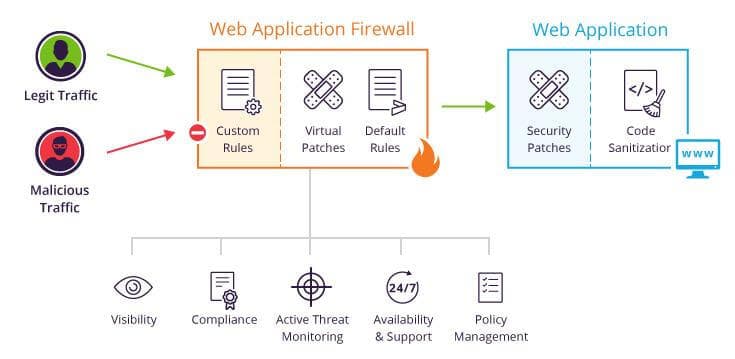
WordPress powers millions of websites worldwide, making it a common target for cyberattacks. Fortunately, following proper security practices can significantly reduce risks.
Why WordPress Security Is Important
A compromised website can result in downtime, data loss, reputation damage, and lost business opportunities.
Common Security Threats
Brute force attacks, malware infections, vulnerable plugins, and phishing attempts are among the most common risks.
Use Strong Passwords
Create complex passwords and enable two-factor authentication whenever possible.
Keep Everything Updated
Regularly update WordPress core files, themes, and plugins to patch security vulnerabilities.
Install Security Plugins
Tools such as Wordfence, Sucuri, and Solid Security can help monitor and protect your website.
Backup Your Website Regularly
Automated backups ensure quick recovery in case of data loss or security incidents.
Limit Login Attempts
Restrict failed login attempts to prevent brute force attacks.
Conclusion
WordPress security requires ongoing attention. By implementing these best practices, businesses can better protect their websites and maintain customer trust.